
Async Collaboration Made Easy
See who's working on what across any timezone
Start CollaboratingNo credit card required • Free forever for solo remote workers
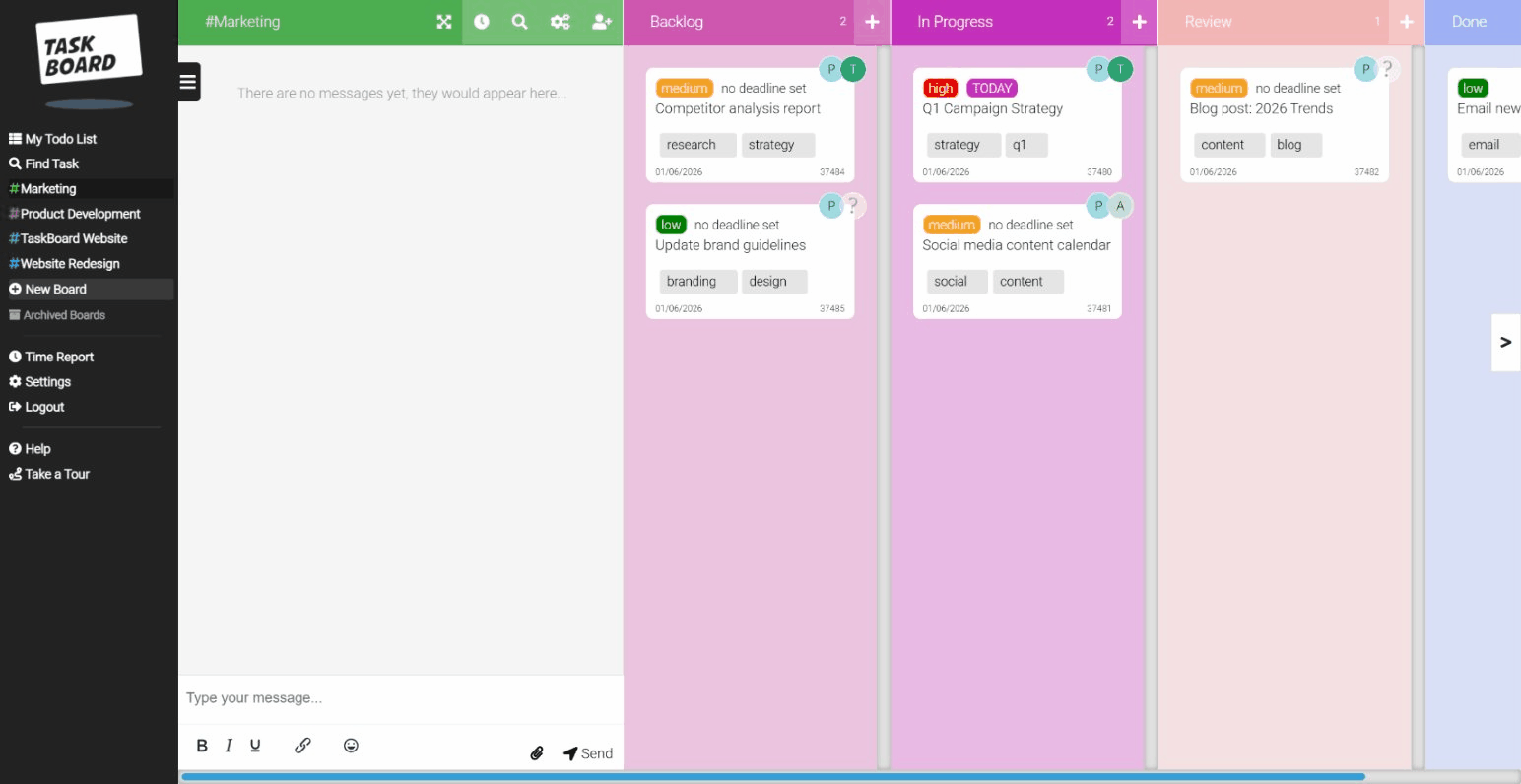
Async work needs async visibility
Remote teams can't tap shoulders or peek at screens. Task Board makes distributed work visible without endless status meetings.
Remote work challenges
- Not knowing what teammates are working on
- Timezone differences blocking sync
- Context lost in scattered communication
- Client collaboration across timezones
How Task Board helps
- Visual boards: See what everyone's working on instantly
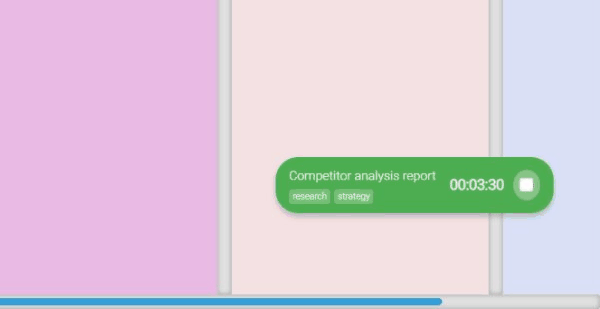
- Live timer status: See who's actively working now
- Task comments: All context lives on the task
- Guest access: Clients see their board for free
Work happens around the clock
Your board stays updated as team members work in their timezones
London • 9am
Sarah starts her day, sees what Tokyo finished
New York • 4am
Mike's offline, but his work is visible
Tokyo • 6pm
Yuki wraps up, hands off to London
Works for remote teams of all sizes
Solo remote workers
Freelancers and contractors use the free Solo plan to track billable client hours.
Free forever
Small remote teams (2-10)
Startups and small agencies coordinate work across timezones without complexity.
Most popular
Remote departments (10-50)
Marketing, dev, or operations teams stay aligned with clear task boards and time tracking.
Team analytics
Real-time visibility without real-time meetings
Open the board and instantly see: who's working on what, what's blocked, what's done. No standup required.
- Live timer indicators show active work
- Task comments keep context in one place
- Board updates reflect work automatically
- Time reports show productivity data
"Our team spans 8 timezones. Task Board gives us the visibility we need without forcing real-time meetings. Everyone can work when they're most productive."
Frequently Asked Questions
Common questions from remote teams considering Task Board
How does Task Board help with async communication?
Every task has its own comment thread where team members can discuss specifics, ask questions, and provide updates. When someone in a different timezone logs on, they can see the full context of discussions that happened while they were away. This keeps communication attached to the work rather than scattered across Slack channels or email threads where context gets lost.
Can we see who's currently working on what?
Yes. When team members have a timer running, you can see it on the board. This provides real-time visibility into who's actively working and what they're focused on, without requiring status updates or standup meetings. It's particularly useful for distributed teams who can't simply look across the office to see what colleagues are doing.
Does Task Board work well on slow internet connections?
Task Board is a lightweight web application designed for fast loading. It works well on standard internet connections worldwide. Changes sync in real-time when you're connected, and the interface is optimised to minimise data transfer. If you briefly lose connection, pending changes will sync when you're back online.
How do remote teams typically structure their boards?
Structure varies by team, but common patterns include: a board per project with columns for workflow stages, a board per team member for personal task management, or a shared team board for collaborative work. Many remote teams also create a "Handoffs" column where work moves when passing between timezones, with comments explaining what's needed for the next person.
Can remote contractors access boards without being full users?
Yes, invite them as free guests. Guests can view boards, see task details, and leave comments without needing a paid seat. This is perfect for remote contractors who need visibility into their assigned work without full team member access. You control which boards each guest can see.
What about time zone differences and working hours?
Task Board doesn't enforce working hours or time zone settings. The visual nature of kanban boards means team members can quickly understand what's in progress and what's done regardless of when work happened. Time tracking captures when work was done, helping managers understand productivity patterns across time zones without being intrusive.
Start coordinating your remote team
Free for solo remote workers. £12/user/month for teams.
14-day money-back guarantee.
No credit card required