
Invoice Clients with Accurate Hours
Track time on client work. Export for invoicing. Get paid for every hour.
Start Free ForeverNo credit card required • Free forever for solo freelancers
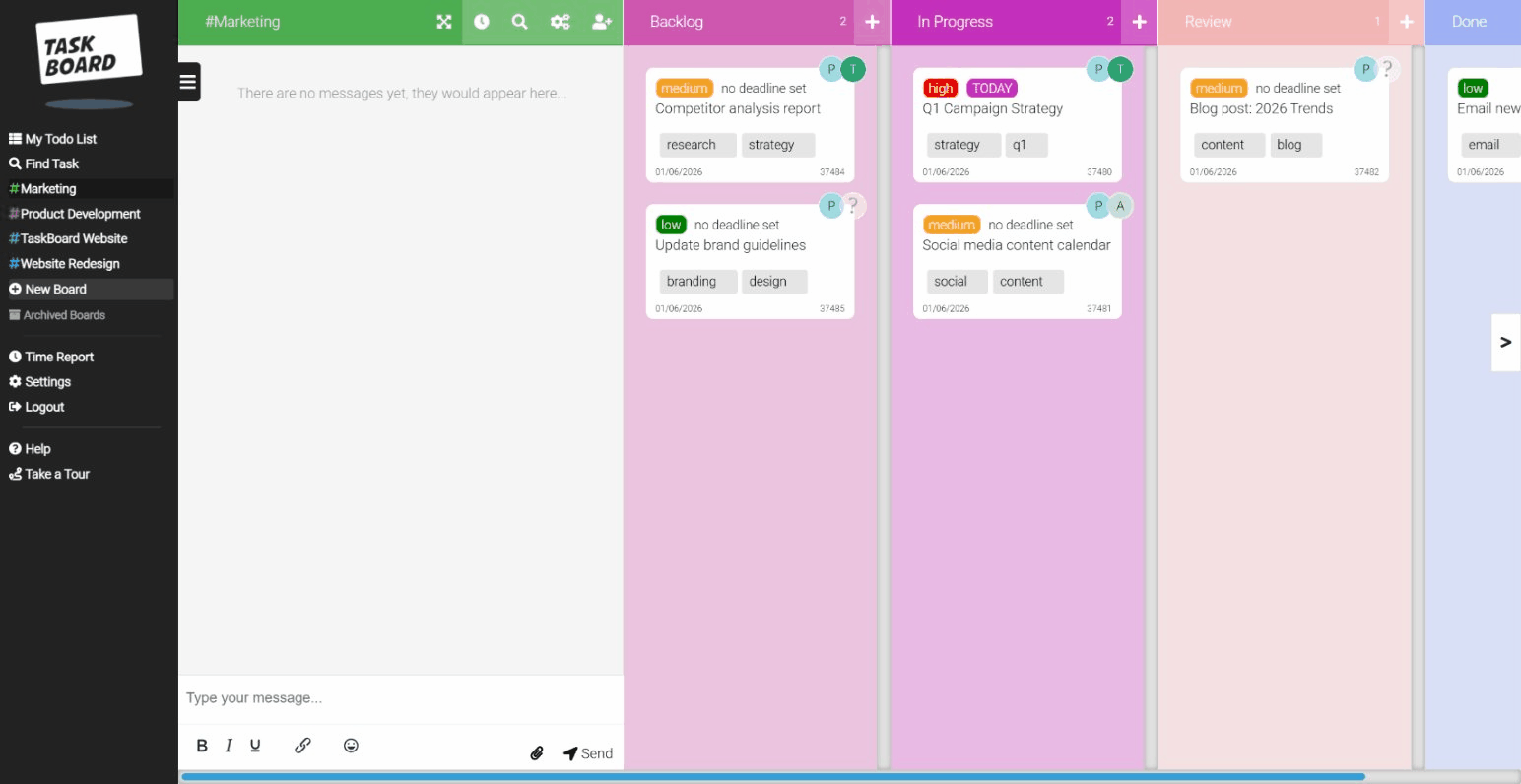
Stop guessing how long projects take
Freelancers lose money by underestimating time. Task Board tracks every minute so you can invoice with confidence.
The freelancer struggle
- Forgetting to start the timer = unbilled hours
- Juggling tasks across multiple clients
- Manual timesheet compilation at invoice time
- Paying for tools designed for big teams
How Task Board helps
- One-click timers: Start on any task instantly
- Client boards: Separate board per client
- Time reports: Export hours for invoices
- Free forever: Solo freelancers pay nothing
Free. Forever. No catch.
Solo freelancers get up to 5 boards, unlimited tasks, and full time tracking.
No credit card. No trial that expires. Just free.
From task to invoice in minutes
Simple workflow that fits how freelancers actually work
Add Client Work
Create a board for each client. Add tasks as they come in.
Track Your Time
Click start. Do the work. Click stop. Every minute logged.
Export Report
Filter by client and date. Download CSV or view summary.
Invoice & Get Paid
Attach time report to invoice. Bill with confidence.
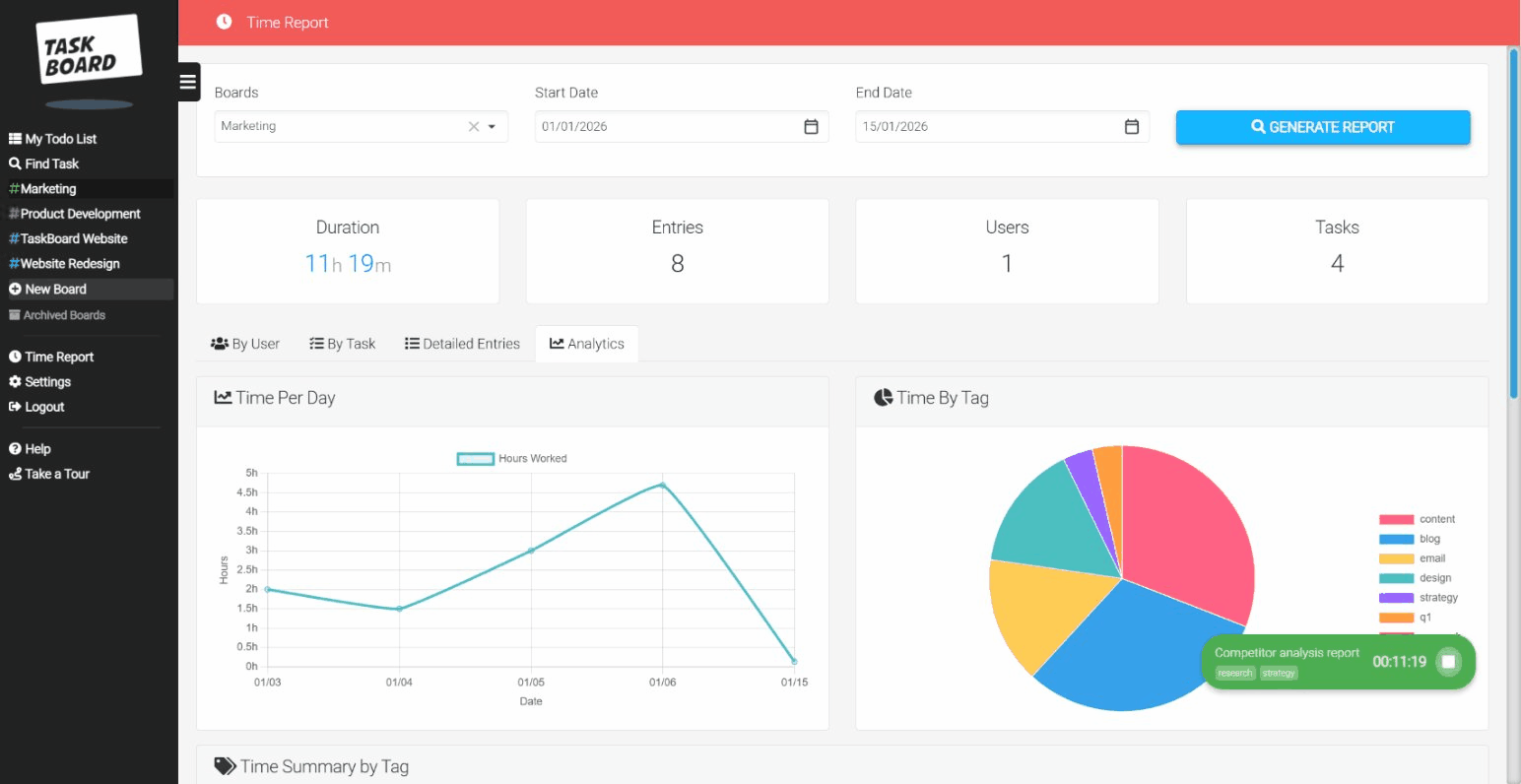
Time reports your clients will trust
Export detailed time logs showing exactly what you worked on and when. Attach to invoices so clients see the value of every hour.
- Filter by client or project
- Custom date ranges
- CSV export for any invoicing tool
- Task-level time breakdown
Never forget to track time again
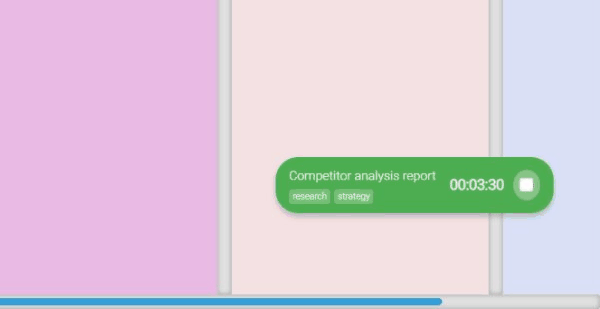
The floating timer stays visible while you work. Switch between clients, check email, come back - the timer is still running. No more reconstructing timesheets from memory.
- Floating timer widget
- One-click start/stop
- Manual entry for forgotten time
- Multiple timers for quick switches
Let clients see progress (for free)
Invite clients as guests to view their project board. They see task progress without cluttering their inbox with updates. Guest access is free on all plans.
- Clients see their board only
- Real-time progress updates
- No extra cost per guest
- Professional client experience
"I was losing at least 5 hours a week to poor time tracking. Now I log everything with one click and my invoices are accurate. Plus it's free!"
Why not just use Toggl or Clockify?
They're great for tracking time. But you still need a separate tool for managing tasks.
| Feature | Trello + Toggl | Notion + Clockify | Task Board |
|---|---|---|---|
| Task boards | ✓ | ✓ | ✓ |
| Time tracking | ✓ | ✓ | ✓ |
| One tool | Two tools | Two tools | One tool |
| Context switching | Constant | Constant | None |
| Price (solo) | Free (limited) | Free (limited) | Free (5 boards) |
Frequently Asked Questions
Common questions from freelancers considering Task Board
Is Task Board really free for freelancers?
Yes, the Solo plan is completely free forever with up to 5 boards, unlimited tasks, full time tracking, and time reports. There's no trial period, no credit card required, and no surprise fees. The only time you'd need to upgrade is if you want to add team members (actual collaborators, not clients). Client guest access is free on all plans.
How do I track time for different clients?
Create a separate board for each client. When you work on a task, the time is automatically associated with that client's board. When you generate a time report, you can filter by board (client) to see exactly how much time you spent on their projects. This makes invoicing straightforward as each client's time is kept completely separate.
Can I share my progress with clients?
Yes, invite clients as guests to their specific board. They can see task progress, view what you're working on, and leave comments. Guest access is free and unlimited. Many freelancers find this reduces the need for status update emails and keeps clients engaged in the project without constant back-and-forth.
What's the 5-board limit on the free plan?
The Solo plan allows up to 5 active boards. For most freelancers, this is plenty, as you typically work with 3-5 active clients at any time. You can archive completed client boards to free up space for new ones. Archived boards retain all their data and can be restored if you work with that client again.
Can I export my time reports for invoices?
Yes, time reports can be exported to CSV format, which opens in Excel, Google Sheets, or any spreadsheet application. The export includes task names, time entries, dates, and durations. Many freelancers attach these reports directly to invoices or use them to populate invoice line items in their accounting software.
What happens if I hire a subcontractor?
If you need to add another person who can create and edit tasks (not just view as a guest), you'd need to upgrade to the Team plan at the per-user rate. This includes both you and the subcontractor. If the subcontractor just needs to view progress and comment, you can add them as a free guest instead.
Start tracking your billable hours today
Free forever for solo freelancers. £12/user/month when you hire help.
No credit card. No trial. Just start.
Join thousands of freelancers who bill with confidence