
 ClickUp
Why Teams Are Leaving ClickUp
We have 10 features that work. They have 1,000 features nobody uses.
The "One App to Replace Them All" Reality
What you get vs. what you actually use
ClickUp's 15+ Views
2 views commonly used | 13+ views forgotten about
Task Board's Approach
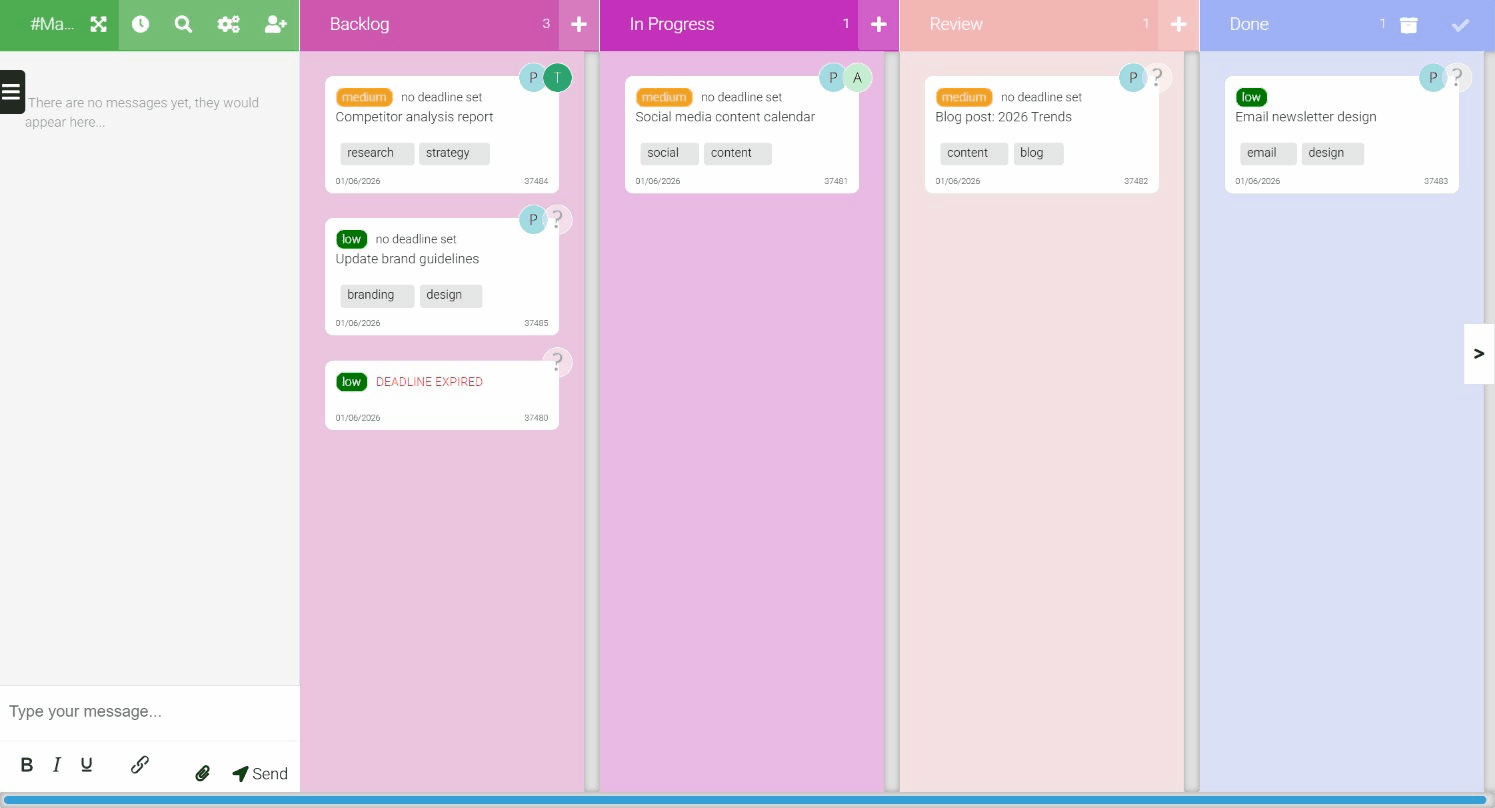
One view. Done right.
No decision fatigue. No configuration paralysis.
Just drag, drop, and ship.
100% of features used by 100% of users
The ClickUp Complexity
- Custom fields, custom statuses, custom everything
- Takes days or weeks to set up properly
- Need to watch tutorials to understand basics
- Team members get lost in the complexity
- You use maybe 10% of what you're paying for
The Task Board Simplicity
- One view: Kanban boards that make sense
- 5 minutes to set up and start working
- Anyone can figure it out immediately
- Built-in time tracking (no extra complexity)
- You use 100% of what you pay for
Clean. Simple. Effective.
No feature overload. No configuration nightmares. Just tasks that get done.
Setup Time Comparison
ClickUp
Days
to weeks
- Choose from 15+ views
- Configure custom fields
- Set up custom statuses
- Create templates
- Watch tutorial videos
- Train team members
- Still discovering features months later
Task Board
5 min
and you're done
- Sign up
- Create a board
- Add tasks
- Start working
- Done.
Start being productive immediately
Price & Feature Comparison
| Feature | ClickUp | Task Board |
|---|---|---|
| Task Boards | ✓ | ✓ |
| Time Tracking | ✓ | ✓ |
| Setup Complexity | High - days/weeks | Low - 5 minutes |
| Learning Curve | Steep - need tutorials | None - instantly intuitive |
| Features You'll Use | ~10% | 100% |
| Price (Unlimited) | £15/user/month | £12/user/month |
| 10-person team/month | £100-150 | £120 |
| Annual Savings | - | £360/year |
"We spent two weeks configuring ClickUp. We were productive with Task Board in 5 minutes."
Frequently Asked Questions
Common questions about switching from ClickUp to Task Board
Why would I switch from ClickUp when it has more features?
More features often means more complexity, longer setup times, and steeper learning curves. Many ClickUp users report spending days configuring their workspace and still not fully understanding all the options. Task Board offers the core features most teams actually use, boards, tasks, and time tracking, in a package that takes minutes to master. If you're not using ClickUp's advanced features, you're paying for complexity you don't need.
Does Task Board have ClickUp's Docs feature?
Task Board doesn't include a built-in docs feature. We focus on task management and time tracking rather than trying to replace dedicated documentation tools. If you need docs, you can attach files to tasks or use a dedicated tool like Notion or Google Docs. This approach keeps Task Board simple while letting you use best-in-class tools for specific needs.
What about ClickUp's 15+ different views?
Task Board offers the kanban board view. While ClickUp provides List, Board, Calendar, Gantt, Timeline, Workload, Table, Map, and more, we've found that most teams primarily use one or two views and get confused by the rest. A single, well-designed kanban view covers most workflows effectively. If you specifically need Gantt charts or resource workload views, ClickUp might be more appropriate for your needs.
Is ClickUp's free plan better than Task Board's?
ClickUp's free plan has limitations including storage caps, limited integrations, and restrictions on views and automations. Task Board's free Solo plan includes up to 5 boards with unlimited tasks, full time tracking, and time reports. For solo users or freelancers, Task Board's free tier is genuinely usable for real work without hitting frustrating limits.
Can Task Board handle the same workload as ClickUp?
For task management and time tracking, absolutely. Task Board handles unlimited tasks across multiple boards with real-time collaboration. Where it differs is in not offering project portfolios, resource management, or enterprise admin features. For teams under 50 people focused on getting work done rather than managing complex project hierarchies, Task Board is more than capable.
How does the pricing compare for teams?
ClickUp's Unlimited plan costs more per user than Task Board's Team plan, and their Business plan (required for some time tracking features) costs even more. Task Board has one simple plan with everything included. For a 10-person team, you'll typically save 30-50% compared to ClickUp while getting all the core features you need for task management and time tracking.
Simple task management without the complexity
ClickUp is powerful. But most teams don't need power - they need simplicity. Perfect for agencies, freelancers, and software teams.
They don't need 15 views - they need one view that works.
They don't need endless customization - they need to ship work.
Free forever for solo use. £12/user/month for teams. 14-day money-back guarantee.